





Sony A99 support at DxO
Sony A99 – full hands on review by PhotoNewsReviews
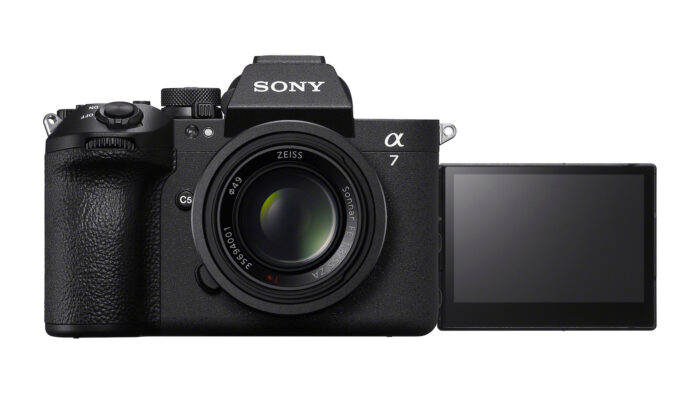
DxO Optics Pro 8.1.1 supports Sony SLT-A99. At the same time they added a new tool to measure the “perceived resolution” which should be an easier to comprehend alternative to MTF graphs. You can check out the article at DxOmark.com.
—
Cheapest eBay acutions in Europe of the A99 (Click here) and RX1 (Click here).


Ken
6 months ago |damn, I got excited and thought the DxO score was out lol
Jakob Røjel
6 months ago |From a simple test with the DPReview files it looks like it handles the high ISO files very well
Bob J
6 months ago |Only support on the Elite version though – shame as I do like DXO, but will probably go LR if I go full-frame as DXO charge so much extra for support of the top-flight cameras…
emopunk
6 months ago |This video review is very nicely made. Once more we see how much confidence the A99 can inspire even in a long time Nikon shooter. Kudos to Sony, who nailed it so right.
Mike
6 months ago |I will stick to Aftershot Pro. They don’t support the A99, but then again, I don’t have that camera yet anyway.
DXO is painfully slow
LR forces me to import my pictures to a “catalog” but I want to store them where I want
Predseda3D
6 months ago |Mike, you dont understand, how LR work. Import to catalog means only store information about pictures in catalog, you can store them wheter you want.
Mike
6 months ago |But I can’t store the settings together with the RAW files. Nor can I probably move the RAW files, and even if I could, it would be without settings.
What if I delete RAW files? The settings will remain. I can’t delete them together with the RAW files.
It is an inferior concept. Like the registry on Windows. I prefer the Unix way. Everything is a file.
Allan Olesen
6 months ago |Yes, you can store the settings together with the raw files (raw is a word, not an abbreviation). Look up XMP sidecar files.
Mike
6 months ago |That’s good. But it would still force me to import the files, which is completely pointless if the settings are stored in XMP files.
RAW or raw: a matter of taste. There is no such thing as a “raw file” either. If you want to start hairsplitting, be exact and call it a “raw image file”.
See e.g.:
http://www.openraw.org/
http://www.adamcoupe.com/whitepapers/photography_technique_benefits_of_shooting_in_raw.htm
http://blogs.windows.com/windows/archive/b/windowsvista/archive/2007/02/15/understanding-raw-image-support-in-windows-vista.aspx
All these pages refer to it as “RAW” and there are many more.
http://www.jmg-galleries.com/articles/raw_vs_jpeg_is_shooting_raw_right_for_me.html
Allan Olesen
6 months ago |So what, if you don’t think you have benefit from the import. It is 5 mouse clicks in total, and then your are working:
In Windows Explorer;
– right click on one raw file in the directory you want to work with
– click on Open With
– click on Lightroom
When Lightroom opens:
– click on Select All
– click on Import
Then you are done. You have all your photos from the directory in the film strip and can start working and just forget that you went through an import step.
This is a non-issue which people tend to blow out of proportion. And they completely ignore the benefit from having fast access to photos they have earlier worked with.
Mike
6 months ago |It may take 5 clicks to _START_ the import, but you forget about the time it takes for the import to complete.
Jaime
6 months ago |here we have the DXOMARK review of a99 sensor…
http://www.dxomark.com/index.php/Publications/DxOMark-Reviews/Sony-SLT-Alpha-99-New-full-frame-sensor-is-Sony-s-best-yet
