

Just announced: New DxO PhotoLab 9

DxO just announced the new PhotoLab 9 software (Click here to see all new features).
The new version is packed with innovations:
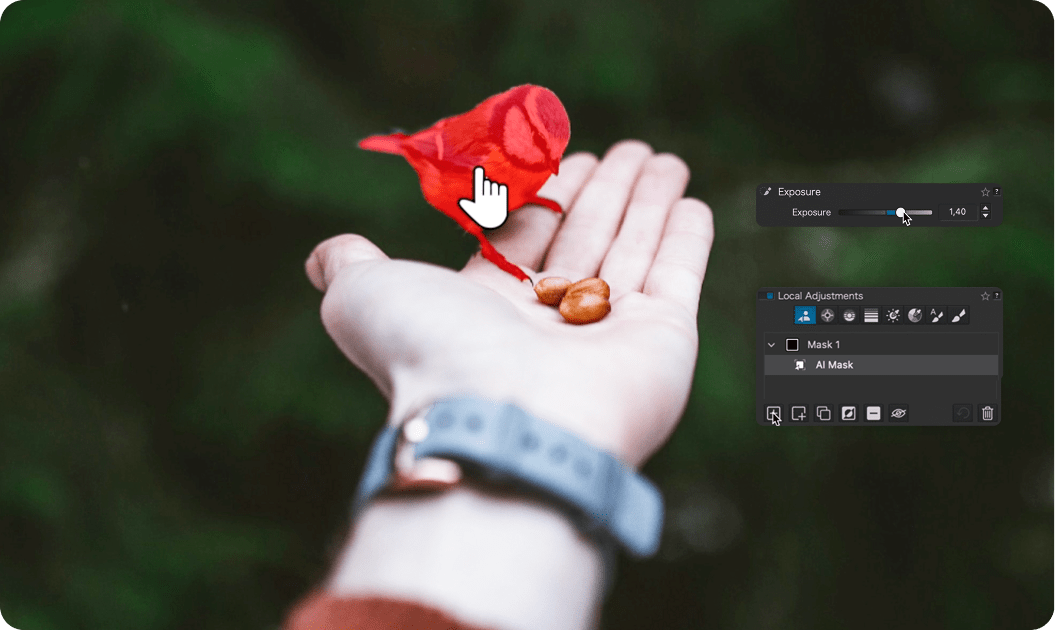
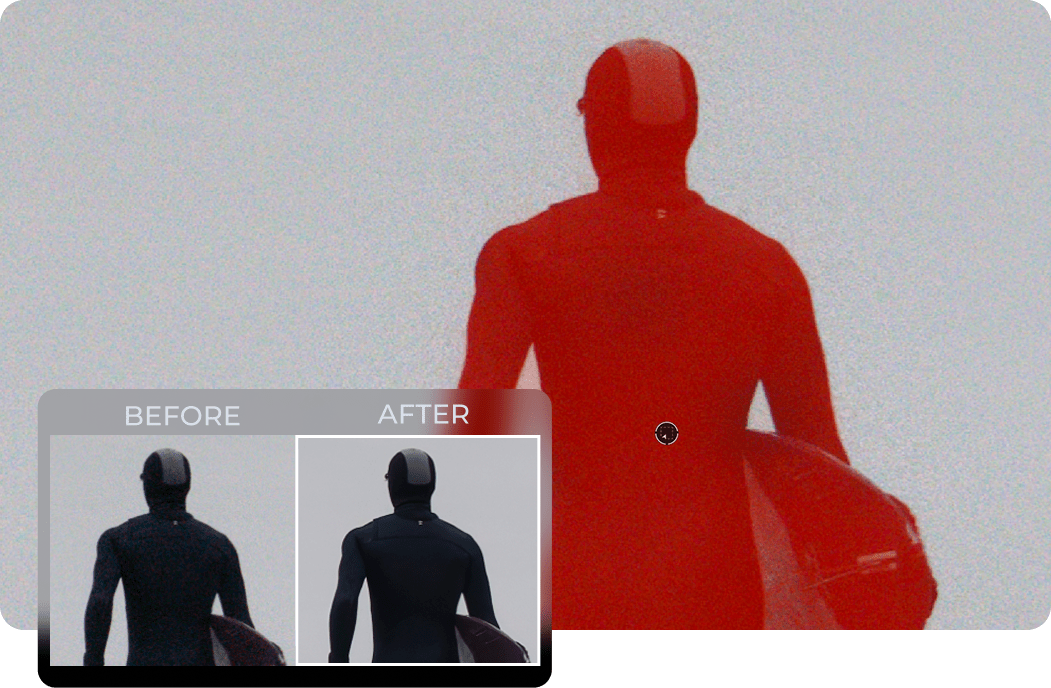
DxO AI Masks: Intelligent selections in seconds
Make pinpoint-accurate local adjustments using AI-powered masks that understand your image. Click to select, draw a box, or choose from subject types like sky, background, face, or hair — PhotoLab instantly creates smart, pixel-level masks.
These AI selections aren’t just automatic — they’re reusable and adaptable. Apply adjustments to a subject like “Animals,” save them as presets, and use them across multiple images with consistent results.
Local adjustments for DeepPRIME and sharpening
Now, you can apply DeepPRIME denoising technology and Lens Sharpness Optimization locally. Target areas with high levels of noise, or edge details for even more control, and use DxO AI Masks in combination with Control Points, Control Lines, and brushes to craft highly refined enhancements.
Improved workflow and organization
DxO PhotoLab9 introduces smarter image management tools. Create stacks for similar photos, bookmark favorite folders and projects, and quickly access Projects from the Customize tab. Plus, it’s now easier to relocate folders that have been moved.
Batch renaming made powerful
Organize your files with PhotoLab’s new batch renaming engine. Use metadata, Exif data, and custom text to build naming conventions that fit your workflow. Save and apply presets to ensure consistency across shoots and clients.
“Just about the best there is.”
Full support for iPhone and iPad photos
DxO PhotoLab9 now supports Apple’s HEIC/HEIF and ProRAW formats, letting you bring DxO’s processing power to images captured on your iOS devices.