Tamron 17-70mm test at Fujiya-camera.
Sirui 24mm f/2.8 Anamorphic – Close Focusing and Anamorphic Flaring! (Kaiman Wong).
Best Wireless Remote Control for Sony (Lensvid).
Samyang AF 35mm F1.8 FE vs. Sony FE 35mm f/1.8 Lens Review Which is the best f/1.8 35mm lens for Sony E-mount? (Lensvid).
10 Things to Do First with Your New Camera (Explora).
Sigma I Series │24 35 65 │ First Look at the New Sigma Lenses (Precision Camera)
How to Photograph Stunning Sunrises and Sunsets (Explora).
Sigma 24mm F3.5 DG DN Review (Photographyblog).
Sigma 24mm F3.5 DG DN Contemporary review at SonyAlphaBlog.
New Shoten wood grip for the A7c (DC.watch).
Sonz A1 review at PetaPixel.
Sony a6400 vs. Fujifilm X-S10: Two great APS-C cameras with different superpowers (DpreviewTV).
In an ideal world, you would probably use your Alpha for every shot. But when magical light strikes, it’s worth remembering you always have a great camera in your pocket.
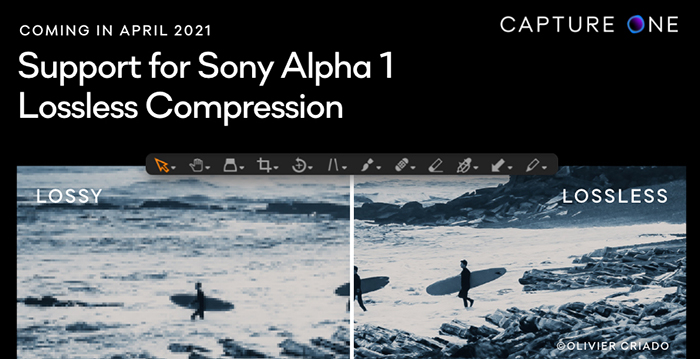
Capture One announced it will support the Lossless Compression format for Sony A1. Plus, they’ve already added a unique camera profile tailored to the Sony Alpha 1: “so your colors and details will look even more amazing than ever”.
Reminder:
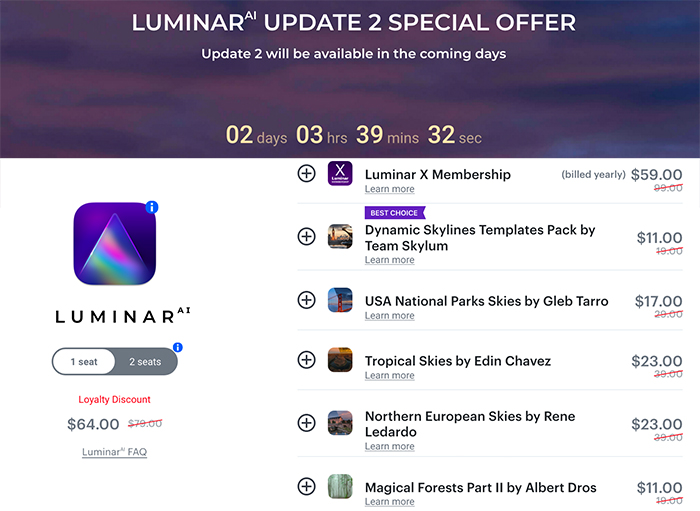
Luminar AI launched their new updated version and for a limited time you safe big on the software and bundles at checkout (Click here). You also get an additional 10 Dollar/Euro discount when using our code “43RUM”. UPDATE: The deal got extended. You have three more days to safe big!
Skylum created the world’s first automatic sky replacement technology. Now, building on this legacy, we’ve listened to feedback from creators in the Luminar community and delivered a faster, more robust experience in the next generation of our SkyAI tool. Under the hood, our enhanced AI engine ingeniously creates new possibilities.
Sky reflections in water: This much-anticipated update means there’s no more worrying about sky replacement in photos featuring water! Ocean, river, lake, pool, it does not matter, LuminarAI will automatically reflect the new sky in the body of water in the most realistic way. The new sky automatically conforms to the angle and depth of the scene to produce incredible results down to the smallest details.
Scene relighting: SkyAI now provides realistic scene relighting by eliminating strong color casts from the sky on foreground objects. Improvements to these tools provide discrete control over the amount and saturation of relighting enhancements. The new Relight Human control can dramatically improve environmental portraits by matching people to the new sky for a more realistic effect.
Seamless sky orientation: One of the toughest challenges in traditional editors is cleanly aligning a new sky to the original horizon. New controls for Rotation and Horizontal Offset join existing controls that allow new skies to be flipped, rotated and positioned for a perfect fit.
Easier sky selection: Quickly browse and select new skies with a new visual interface from the SkyAI panel. We’ve added six new free skies with this release and made it easier to add your own skies or add new sky packs.
Transformable Texture Overlays
With Update 2, Local Masking adds amazing new creative abilities. The Texture tool now offers advanced controls to transform texture and image overlays.
PNG Overlays: PNG files with transparency can now be uploaded as textures in LuminarAI. These files can then be used to add special effects to photos, including watermarks, text, emoticons, and other decorative elements.
Easy placement: New overlay elements can be easily moved, flipped, rotated, resized and placed anywhere you want. There’s even blending modes and masks to precisely control how the object interacts with the original image.
Overlays in Templates: Once applied, an overlay can be synced across multiple images or saved in a custom template for future re-use.
Improved Templates experience
Templates are an essential part of the innovative LuminarAI workflow. As a result, Skylum is constantly working to improve the Templates experience. In Update 2, finding the perfect Template for your photo is even and faster.
Easy Access: To make them easier to find and use, all Templates, including Favorites, My Templates Purchased, and Legacy Templates, are now available within the main Templates tab, just beneath For This Photo.
Easier Browsing: Template Group previews are now uniform in size to make them more visually accessible and comfortable to work with.
Marketplace Integration: Templates purchased in the Luminar Marketplace are now automatically added to For This Photo and may be presented by LuminarAI when suggesting enhancements for your photos.
Improved camera support
Update 2 brings support for new cameras and file formats to LuminarAI.
New Cameras: Canon EOS R5, Canon EOS R6, EOS 850D, EOS-1D X Mark III (lossy compressed files), Fujifilm X-S10, Leica M10-R, S3, SL2-S, Nikon Z 5, Z 6 II, Z 7 II, Olympus E-M10 Mark IV, Panasonic DC-G100 / G110, DC-S5, Sony ILCE-7C (A7C), ILCE-7SM3 (A7S III) and Zeiss ZX1.
New File Formats: Lossy compressed CR3 files and Lossy compressed RAF files.