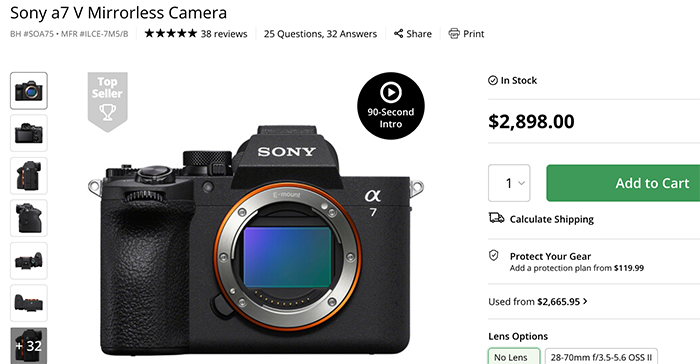
Our reader Robin Chee performed an overheating test on the Sony A7V and concluded:
The thermals are fantastic.. I tested recording 4k60 to dual cards simultaneously with the lcd closed at ambient 30degreeC, with usbc power. It lasted 12hrs 59mins before the internal limit cut in and recording stopped. The only cameras to match this are A7s3 and FX series. Neither the a1ii or a9iii could match it by far.
If you’ve run your own tests, drop them in—I’m all ears. From what I’m seeing, this looks like a rock‑solid workhorse. No Open Gate, true, but it also doesn’t overheat like the Canon R6 III.
With the holidays approaching and year-end projects piling up, video noise, soft focus, compression artifacts, or slow internet can slow down post-production. Aiarty Video Enhancer works offline to process mirrorless footage, documentaries, and family videos.
Unlike cloud-based tools, Aiarty Video Enhancer processes files locally for privacy and speed. Recent updates include the Strength Slider for controlled enhancement and Step Mode for high-resolution footage. Upcoming features such as color consistency and YUV 422/444 export are included in the Lifetime License.
Lifetime License with Holiday-Exclusive Discount
Save 36% on the Lifetime License, plus use code XMASSAVE for an extra $5 off—valid until Jan. 10th, 2026. The license includes unlimited free updates and can be installed on up to three computers (Mac or Windows). No subscription or extra fees.
“After testing many video enhancers, I feel Aiarty is the winner. It has different modes depending on the clip. One is designed for low light situations, which is very helpful. There is also a blend percentage control for softening the result.”
— John Kempt, Artist
“I recently downloaded the trial and I am testing it for my YouTube channel workflow (Atmospheric/Cinematic content). The texture recovery on nature scenes is impressive compared to other tools I’ve used.”
— Tarcisio Resende, Content Creator (@ClassicalImmersion)
Aiarty Video Enhancer: Key Features at a Glance
Aiarty works entirely offline, supporting large or sensitive files and on-the-go editing. Key features include:
AI Upscaling & Denoising: Use moDetail-HQ v2 for fine textures or superVideo vHQ for heavy sensor noise. Includes a Strength Slider for manual refinement.
VRAM & Speed Optimization: Toggle between Turbo Mode for speed or Step Mode to reduce VRAM usage—essential for processing high-res footage on different hardware.
Pro Workflow Tools: Fully offline Batch Processing for large sets, plus SDR to HDR conversion and Frame Rate Boosting for smooth slow-motion.
Integrated Toolkit: Clean up audio with AI Audio Denoise and handle quick edits (cut, crop, rotate, color) without leaving the app.
Real-World Use Cases
Mastering Low-Light & Night Footage
Even with high-end mirrorless sensors like the Sony A7S III, ultra-high ISO footage can suffer from chroma noise and lost texture. Aiarty’s superVideo vHQ model removes artifacts while preserving natural grain and the original footage’s integrity.
The Strength Slider allows you to retain natural grain when needed.
Restoring Legacy & AI-Generated Footage
Bring 360p, 480p, or 720p footage into the modern era. Whether you are restoring family archives or upscaling AI-generated content, Aiarty recovers lost details to bring your vision into 4K focus.
High-Action & Outdoor Clarity
Action shots often suffer from motion blur or compression artifacts. Aiarty improves clarity and detail retention, even in high-frame-rate 240fps clips. “Footage recorded in FHD, 240fps, then upscaled to 4k using Aiarty Video Enhancer.” — A Red Dot Explorer, nature videographer
Try Aiarty for Your Holiday Projects
For 1080p footage from mirrorless or DSLR cameras, Aiarty restores texture and clarity when upscaling to 4K. Its offline workflow allows full control without relying on cloud services, integrating denoising, upscaling, and batch processing in one tool.